Finish by 6:15 PM insteadMove 6 weekly stops to Friday
6 stops moved to FridayCustomers get a heads-up text
Next stopLate for 9:00 AM
Olivia Bennett
Variable-speed pump replacement
5412 Cedar Hollow Dr, Plano
18 minDrive
11:52AMArrive
2 hrOn site
Gate code 2580Dog in yardParts loadedCollect payment
Start driveTexts Olivia your ETA
Up next All 24 stops
2:07PMMarcus HaleWeekly service in Frisco
2:24PMPriya RamanWeekly service in Frisco
Today
Map
Ask
2Messages
More
On the way
Olivia Bennett in Plano
Olivia has your new ETATexted 11:34 AM from your business line
Hi Olivia, it's Jordan with Sunmark Pool Co.. I'm on my way, arriving around 11:52. Live ETA: crewtend.com/t/8KQ2
Arriving
11:52AM
18 min7.2 mi to go
CallTextMaps
I've arrivedAuto check-in when you park
Today
Map
Ask
2Messages
More
Olivia Bennett
On site since 11:52 AM
One-time job0:12 on site
Variable-speed pump replacement
2 of 6 steps done
PhotoVoice noteParts
$2,480Due on site
Finish 4 more stepsThen complete and collect
Messages
Customers 2Team
From your business line, (972) 555-0142
OBOlivia Bennett11:36 AMGreat, the side gate is unlocked for you
MHMarcus Hale10:52 AMMissed call. Voicemail: new gate code is 7713
DWDana Whitfield9:14 AMCould you look at the heater too?
PRPriya RamanYesterdayYou: See you this afternoon
KEKate EllisonTueWater looks great, thank you!
Today
Map
Ask
2Messages
More
SM
Sunmark Pool Co.Example company · (972) 555-0142
InvoiceINV-1048, issued Sep 24, 2026
Amount due
$2,480.00
Due Oct 1, 2026
Scan for demoCard, Apple Pay, or bank crewtend.com/demo
Billed toOlivia Bennett(214) 555-0187
Service address5412 Cedar Hollow DrPlano, TX 75024
TechnicianJordan ReyesOn site 11:52 AM to 1:48 PM
What we did
Replaced the failing single-speed pump with a 2.7 HP variable-speed pump, primed the system, checked every fitting for leaks, and set a quiet, energy-saving run schedule.
Item
Qty
Rate
Amount
Variable-speed pump, 2.7 HP
1
$1,880.00
$1,880.00
Unions, fittings, and PVC
1
$120.00
$120.00
Labor: remove, install, prime, program
2 hr
$135.00
$270.00
Old pump haul-away
1
$45.00
$45.00
Subtotal$2,315.00
Sales tax, 8.25% on parts$165.00
Total due$2,480.00
Proof of work
GPS verified at 5412 Cedar Hollow Dr
11:58 AM
Before
1:41 PM
After, new pump running
1:43 PM
Model and serial label
Warranty: 3 years on the new pump, registered for you.Questions? Text (972) 555-0142
Sent with CrewTend
Built for the office. Ready for the field.
Field service software that proves the work and collects the money.
Give your team one place to schedule work, capture job photos, build estimates, send invoices, and collect payment. Your office, technicians, and customers stay connected from the first call to the final receipt.
30-day free trial. Plans from $79/month. No long-term contracts. Built in Texas.
INTERACTIVE DEMO · EXAMPLE DATA
Today Thu, Sep 24
6 of 31 stops doneFinish 8:40 PM
Finish by 6:15 PM insteadMove 6 weekly stops to Friday
6 stops moved to FridayCustomers get a heads-up text
Next stopLate for 9:00 AM
Olivia Bennett
Variable-speed pump replacement
5412 Cedar Hollow Dr, Plano
18 minDrive
11:52AMArrive
2 hrOn site
Gate code 2580Dog in yardParts loadedCollect payment
Start driveTexts Olivia your ETA
Up next All 24 stops
2:07PMMarcus HaleWeekly service in Frisco
2:24PMPriya RamanWeekly service in Frisco
Today
Map
Ask
2Messages
More
Olivia paid $2,480.00Invoice INV-1048, posted to the books
Schedule fixed, home by 6:15
Photo GPS-tagged to the jobClient and company galleries, ready to post
Your data stays yours. Export your records from your workspace. You stay in control.
Made in TexasYour team, connectedFree onboarding with a person30-day free trial
Interactive walkthrough · example data
One job, from the morning schedule to paid.
Jordan opens the app and sees the whole day.
31 stops, the next one first, with live drive time and arrival. A pump replacement was booked for 9:00 and he's running late, so the app says so instead of hiding it. The day is tracking to 8:40 PM; the office can review flexible stops and move them to another day.
Before-you-go details: gate code, dog in the yard, parts on the truck
Equipment history, manuals, and last visit's photos one tap away
Try it: tap Move in the phone, then Undo
Start drive texts Olivia and opens Maps.
One tap sends "I'm on my way, arriving around 11:52" from your business number, with a live tracking link. No personal phone numbers, no "where's my tech" calls to the office.
Texts and calls from a company line, logged on the job
Arrival windows and an ETA the customer can watch
Confirm arrival when you reach the job
Checklist, GPS-tagged photos, payment on the spot.
The checklist has to be finished before the job can close. Capture photos with time, available location, and the right job or equipment context. A finding becomes an estimate the office can review; collect payment through connected payment services and set up recurring billing.
Scan the equipment label, review the record, save
Technician AI answers from manuals, your procedures, and past visits, with sources
Try it: tick the checklist in the phone to unlock payment
Olivia sees the proof in her portal, pays, and gets a review request.
The customer portal shows upcoming visits, the service report with before and after photos, signed documents, the estimate with Good, Better, Best, and a pay button. A few minutes after the job closes, a review request goes out from your business line.
Quotes, signatures, deposits, invoices, and payment links in one place
Property managers see only the sites they're authorized for
Service requests that stay connected to the same customer and property
INTERACTIVE DEMO · EXAMPLE DATA
Today Thu, Sep 24
6 of 31 stops doneFinish 8:40 PM
Finish by 6:15 PM insteadMove 6 weekly stops to Friday
6 stops moved to FridayCustomers get a heads-up text
Next stopLate for 9:00 AM
Olivia Bennett
Variable-speed pump replacement
5412 Cedar Hollow Dr, Plano
18 minDrive
11:52AMArrive
2 hrOn site
Gate code 2580Dog in yardParts loadedCollect payment
Start driveTexts Olivia your ETA
Up next All 24 stops
2:07PMMarcus HaleWeekly service in Frisco
2:24PMPriya RamanWeekly service in Frisco
Today
Map
Ask
2Messages
More
On the way
Olivia Bennett in Plano
Olivia has your new ETATexted 11:34 AM from your business line
Hi Olivia, it's Jordan with Sunmark Pool Co.. I'm on my way, arriving around 11:52. Live ETA: crewtend.com/t/8KQ2
Arriving
11:52AM
18 min7.2 mi to go
CallTextMaps
I've arrivedAuto check-in when you park
Today
Map
Ask
2Messages
More
Olivia Bennett
On site since 11:52 AM
One-time job0:12 on site
Variable-speed pump replacement
2 of 6 steps done
PhotoVoice noteParts
$2,480Due on site
Finish 4 more stepsThen complete and collect
SMSunmark Pool Co.Olivia Bennett, 5412 Cedar Hollow Dr
Today's visitPhotosDocumentsPlan
Variable-speed pump replacementSep 24, 11:52 AM to 1:48 PM
Before 11:58After 1:41Label 1:43
Replaced the failing single-speed pump, primed the system, checked every fitting, and set a quiet run schedule. Warranty registered for you.
Invoice INV-1048$2,480.00Pay now
Next visit: weekly service, Oct 1Request service
Site photosCamera, video, audio, filesInteractive demo
Pull the nearest jobTap the location button
0.5x1x3xCapture time saved · GPS when available
Bennett home, HVAC service120 ft
Marcus Hale, weekly service0.8 mi
Priya Raman, filter clean1.4 mi
Photos file to the job, the property, and the equipment on the pad.
Truck 4, Jordan46,218 mi
Van 2, Luis81,904 mi
Warehouse, shelf BStock
Odometer, damage, fuel, and stock photos file to the asset, not to a customer.
Walk & Talk03:24
"Checking the outdoor condenser. Document the unit condition, record the label, and add the homeowner’s report that cooling is intermittent."
Talk while you shoot. The transcript, the photos, and the timestamps become a report.
Site photos with GPS, Walk & Talk, and one company gallery
Every photo proves the work. Then it works for you.
Open the camera on site and it pulls the closest job. Save the time and available location with each capture, and keep it connected in two places: the client's gallery and your company-wide gallery, sorted by customer, property, equipment, technician, date, and category. Approved photos become case studies and posts without anyone opening a design tool.
Client galleryOlivia Bennett, 5412 Cedar Hollow, pump pad. Before, during, after. Visible in her portal and on the invoice.
Company galleryFind work across your team with shared photos, tags, dates, and customer records.
Marketing libraryOnly photos you approve, with GPS and private notes stripped, ready to post.
Context stays with the photo. Keep capture time, available location, technician, and job with the media record. Review visibility before sharing photos with a customer.
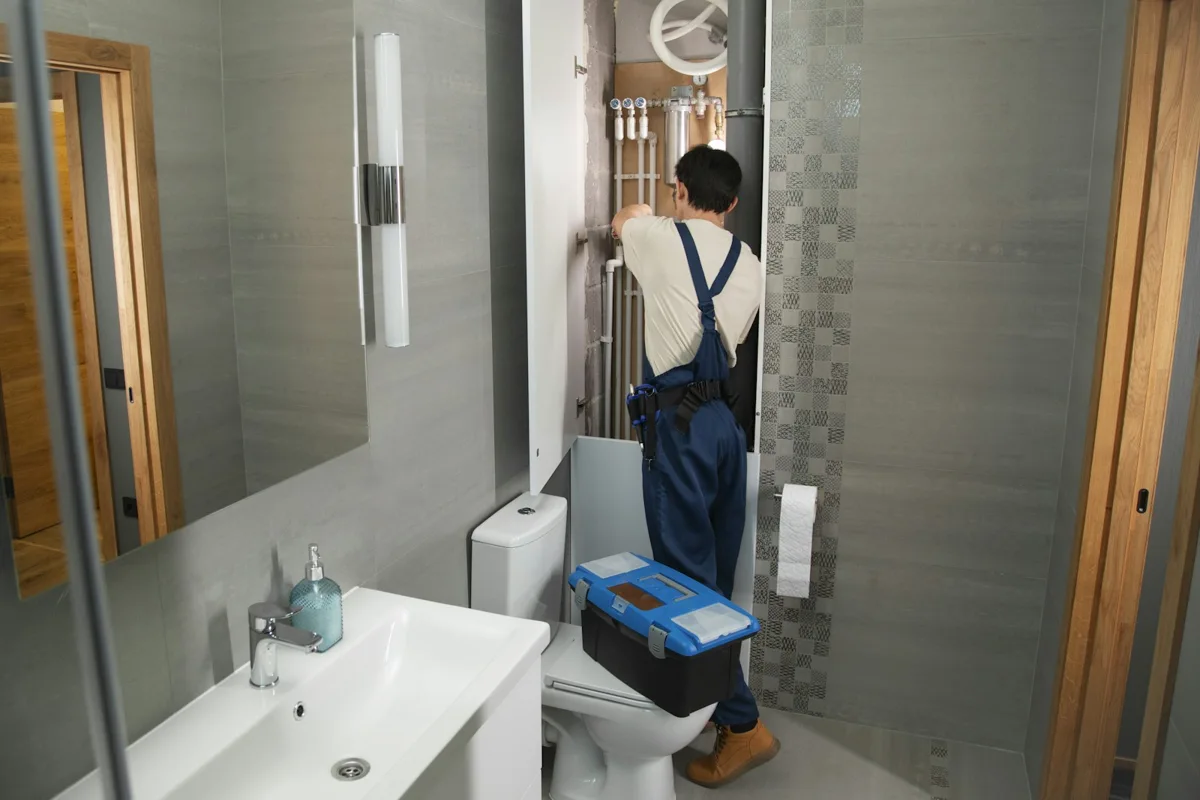
Example story · stock photographAuto-generated case study
A homeowner reports a bathroom plumbing leak. See how the technician’s photos, repair notes, and final checks become a case study ready for review.
A plumbing leak, a documented repair, a relieved homeowner
The homeowner reported a bathroom plumbing leak. The technician documented the pipework, located a loose connection, completed the agreed repair, and checked for leaks with the water running. The homeowner received a clear service report with the work recorded in one place.
Google Business ProfileFacebookInstagramYour website
Illustrative draft, not a customer testimonial. Edit the text and select channels. Nothing is published from this demo.
Your fieldwork, made visible
See what every camera tool can do.
From the first site photo to the final customer report. Tap a visual to try the workflow with sample records.
Site capture
PHOTO SAVEDBennett · HVAC service11:58 AM · DuringJob + company gallery
Capture→Attach to job→Find it later
One photo. The right job. Both galleries.01Capture everywhere
Photos, video, audio, and file imports
Attach existing from the shared gallery
Job, property, equipment, and project context
Walk & Talk
00:42 · PHOTO MATCHED“Check this connection.”Voice note + photo + time
Narrate→Match photos→Review report
Speak as you work. Photos keep pace.02Walk & Talk
Narrate while you shoot, with mic mute and timer
Incremental saving; recover an interrupted session
Transcript matched to each photo
0.5× · Site view
3× · Detail crop
0.5×1×3×Supported devices
Frame→Choose lens→Capture
Frame the site. Zoom in on the detail.03Camera controls
0.5x, 1x, 3x where the phone supports it
Highest practical resolution, HEIC handled
Originals kept apart from compressed copies
Photo markup
Check this connectionKeep the original photo
Circle→Add a note→Review
Point to the issue. Explain the next step.04Annotate and review
Draw, add text, crop, and redact
AI captions and tags you can edit
Blur, exposure, and duplicate warnings; required categories
WALKTHROUGH → DRAFTKitchen site reportPhotos in time orderFindings with contextReview before sharing
Photos + voice→AI draft→Your review
A walkthrough becomes a readable report.05AI walkthrough reports
Timestamped transcript with source audio
Suggested photo-to-speech matches
Editable titles, headings, and bullets
SERVICE REPORTReady for your review
Work completed Next steps
PDFWeb report
Edit→Reorder→Export
Turn field notes into a customer handoff.06Edit and export
Bring invoices, payment requests, receipts, bills, purchasing, and bookkeeping into one workspace. Review extracted receipt details, match expenses to jobs, and keep exceptions visible. Connect payment services before collecting money.
Interactive demoInvoice INV-1048, Olivia Bennett$2,480.00Variable-speed pump replacement. Due Oct 1.Card payment example · illustrative photoSample invoice · keep job details connected to the payment.
PAIDSep 24, 11:58 AM, Apple Pay
Automated receiptsInteractive demo
POOL SUPPLY CO. · 1234 Main St Cartridge filter 100 sq ft ... 299.99 Gasket kit ................. 12.50 TOTAL ..................... $312.49 VISA 4417 · 09/24 11:04 AM
VendorPool Supply Co.
Total, tax split out$312.49
Matched to jobBennett pump replacement
Technician, vehicleJordan, Truck 4
Paid withCompany Visa 4417, reconciled
Example receipt match. Review extracted amounts and the job before posting.
Explore Money, one workflow at a time.
Choose a card to try payments, receipts, costs, and bookkeeping with sample data.
From invoice to payment.CollectCard and ACH payment requests, links, QR codes, deposits, partial payments, and recurring billing through supported payment services.
Keep every follow-up on time.Receivables that chase themselvesAging by customer, automatic reminders on your schedule, late fees if you use them, and a cash forecast you can plan payroll on.
Snap. Review. Match to the job.Automated receiptsSnap it or forward it. Extract vendor, total, and tax. Review the suggested job or vehicle match before posting.
Match the bill before approval.Spend and billsVendor bills in one inbox, approvals by amount, budgets by job, payment runs, and purchase orders with three-way matching.
See the margin behind the work.Job profitability, liveLabor, parts, drive time, and overhead against the invoice while the job is still open, so you know before you send it.
Match records. Resolve differences.Close the booksReconciliation, journals, and an exception queue that lists exactly what needs review, with the explained difference beside each item.
Keep your financial records connected.Sync or standaloneRun Money beside your current CRM. Review available accounting connections and exports in Integrations, with optional bookkeeping help.
Review connections and spending rules.Cards and banking availabilityPartner-dependent services. Check Money for your company’s available banking and card connections before activation.
Illustrative photographs and pencil sketches. Explore each card with sample data.
Schedule
See every tech's face on the map. Switch views in one tap.
Seven ways to plan the day: Timeline, Map, List, Board, Calendar, Split, and Capacity. Try the calendar with technicians in columns and appointments down the day, or compare workloads before assigning the next job.
Interactive sample schedule. Select a job to review it. On smaller screens, swipe the schedule sideways.
Live location, with a faceSee your crew and scheduled work together. Live location depends on the technician’s routing device and location permission.
Skills-based suggestionsReview crew assignments, available time, and job requirements before confirming a technician.
Review and rebalanceReview flexible jobs, select the work to move, and confirm the technician and date through the existing schedule controls.
Open, review, rescheduleOpen a sample calendar appointment, pick a technician and time, and see the calendar update. Review each change before confirming it.
Reviews and reputation
Turn completed work into your next review.
A few minutes after a job closes, the customer gets a review request from your business line. When the review lands, CrewTend matches it to the job and the technician behind the scenes, drafts a reply in your voice, and posts it or waits for your approval. Review replies before publishing to connected review channels.
Automatic requestsTimed after completion or payment, by job type, with a quiet period so a customer is never asked twice.
Replies in your voiceAI drafts from the job details. Review the draft and choose whether to publish it.
Matched to the job and techPer-tech ratings, review-to-revenue attribution, and coaching notes from what customers actually say.
Everywhere you're listedManage supported review and listing connections in Local. Each provider shows its connection requirements.
Watch a review run
1Job closed. Bennett pump replacement, 1:48 PM. Paid in full.
2Review request texted from (972) 555-0142 at 2:03 PM: "Thanks, Olivia. Mind sharing how Jordan did?"
3Review received on Google at 6:41 PM.
Olivia B.★★★★★
Jordan texted before he came, showed me the old pump, and the new one is silent. The photos on the invoice were a nice touch.
Reply from Sunmark Pool Co. Thank you, Olivia. Jordan will be glad the quiet schedule is working. Your warranty is registered, and we'll see you Oct 1 for the weekly visit.
4Matched behind the scenes to invoice INV-1048 and to Jordan. His rating this month: 4.9 from 31 reviews.
5Reply posted at 6:44 PM. Added to the Plano case study and the website's review feed.
The rest of the day, still live.
Cards marked Interactive demo respond when you tap them.
CrewTend AIInteractive demo
Finish by 6:15 PM instead of 8:40Move 6 weekly stops to Friday. Those customers get a text.
6 stops moved to Friday. Finish 6:15 PM.Six customers got a heads-up text. Nothing was skipped.
Emergency: heater won't igniteBest fit is Chris: gas-certified, free at 1:00, 12 minutes away.Assign
"What's the priming procedure for this pump?"Answered from the manual, your SOP, and the last visit, with the sources shown.
An AI that helps you decide what comes next.
Review schedule risks, ask questions about saved work, draft customer messages, and turn field notes into useful context. Record-based review cards stay available alongside connected AI. Your team reviews changes before taking action.
Estimates with a margin checkInteractive demo
Margin check on Variable-speed pump46% margin. To reach your 50% target, quote $2,660.Your target is set in Settings. 50% is just the example.
Olivia pickedVariable-speed pump, $2,480, tax included
Signed.Deposit link sent, parts reserved, job on the schedule.
Good, Better, Best, priced to your margin.
Customers see what's wrong, three ways to fix it, and a recommended pick, then tap to choose and sign. Before you send it, CrewTend shows the gross margin on each option against your own target and warns when a pricebook cost has gone stale. Snap a broken part and the AI suggests the pricebook lines.
Customers and messagingExample inbox
Messages
Customers 2Team
From your business line, (972) 555-0142
OBOlivia Bennett11:36 AMGreat, the side gate is unlocked for you
MHMarcus Hale10:52 AMMissed call. Voicemail: new gate code is 7713
DWDana Whitfield9:14 AMCould you look at the heater too?
PRPriya RamanYesterdayYou: See you this afternoon
KEKate EllisonTueWater looks great, thank you!
Today
Map
Ask
2Messages
More
One business number for the whole crew. Texts and calls go out from your company line and land on the job, not in a personal phone.
Missed-call text-back. A missed call gets a text within seconds and a callback task with an owner.
Voicemail becomes text. "New gate code is 7713" shows up in the thread and on the stop.
AI Receptionist add-on. Recognizes the caller, qualifies the job, books a real opening, and hands off with a summary.
Every customer, every message, on the job.
When a tech leaves, the relationship stays with the business. Conversations, visits, media, findings, estimates, invoices, agreements, and warranty work sit on one customer and property history, so the next visit starts with the whole story.
Self-booking and the customer portalIncluded
Book online against real availability. Skills, drive time, and capacity decide what's offered, so the office never overbooks.
Approve, sign, and pay from a text. Good, Better, Best on the phone, deposit on approval, invoice on completion.
See the plan. Visits owed, visit history, photos, documents, and the renewal, all in the portal.
Property managers see only the sites and assets they're authorized for, with service reports per unit.
Customers help themselves, and stay in your system.
Every request, approval, and payment lands on the same customer and property record, whether it came from the website, a text, the portal, or the AI Receptionist.
Built for the trade you're in. Pick yours.
Each industry pack brings its own checklists, job types, photo categories, forms, and pricebook starters. Choose a trade to explore its app features, interactive previews, and field workflows.
Flat-rate pricebook with photosWater heaters, drain cleaning, repipes, and fixtures priced by task, with Good, Better, Best built in and margin shown before you quote.
Rate cards and spend limits by accountProperty managers and commercial accounts get their own rates and authorization limits. Work over the limit stops for approval.
Camera inspection video on the propertySewer camera footage, leak photos, and pressure readings file to the address, so the next call starts with the history.
Permits and inspectionsTrack the permit, the inspection date, and the result on the job. The inspector's stamp becomes a GPS-tagged photo.
Emergency schedule by skillGas-certified, backflow, or commercial-only: the board suggests the right tech, free time, and distance.
Membership plans with autopayAnnual inspections, priority scheduling, and discounts billed automatically, with visits owed tracked against visits done.
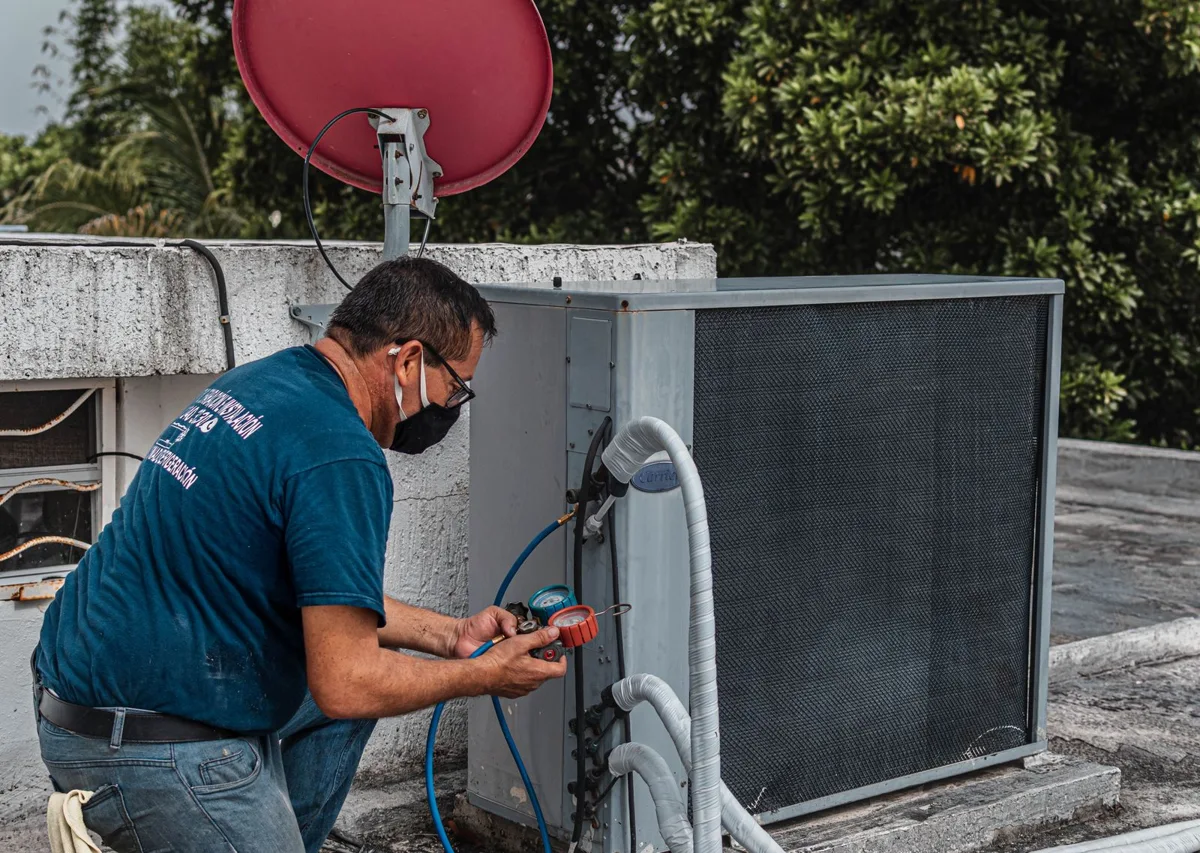
Scan the unit labelRooftop unit, condenser, or walk-in: photograph the nameplate and the asset record fills in, with the manual and history attached.
Tune-up checklists per unitStatic pressure, superheat, subcool, and amp draws recorded per system, with required photos before the job can close.
Refrigerant and EPA logsCharges, recoveries, and leak checks logged per unit with technician certification on file.
Maintenance agreements that track themselvesVisits owed versus visits invoiced per site, access exceptions, and renewal pricing based on what the account actually cost.
Replacement proposals on the spotGood, Better, Best changeouts with load details, rebates, and partner financing options, signed on the customer's phone.
Refrigeration temperature logsCase and walk-in readings, alarms, and repeat-issue tracking by asset for restaurant and grocery accounts.
Chemical readings and dosingLog by voice, get dosing from your own targets, and keep LSI and application records on every pool.
Routes that finish on timeReview travel estimates and appointment risks, optimize a route, and confirm schedule changes.
Filter, pump, and heater lifecycleEvery unit on the pad has a record. Recorded equipment age helps your team review replacement options before the next visit.
Green-to-clean and repair proofProgress photos on a timeline the customer sees, so "did anyone come out?" never gets asked.
Weekly service that bills itselfComplete the stop and the invoice posts. Autopay memberships, skipped-visit credits, and seasonal pricing handled.
Builds and remodels in the same systemPhases, draws, and change orders for new pools and resurfacing, next to the maintenance route.
Panel and load photos on the propertyPanel schedule, load calculation attachments, and service entrance photos live on the address forever.
Code checklists by job typeService upgrades, EV chargers, and generators each get their own required steps and photos.
Permits and inspection schedulingPull, track, and photograph the result. Failed items become a follow-up work order automatically.
Generator and lighting agreementsRecurring maintenance with visits owed, autopay, and per-unit history.
Commercial accounts with limitsRate cards, authorization limits, and property-manager portals per site.
Parts readiness before roll-outEvery job shows what's on the truck, reserved, or on order; van stock replenishes from what was used.
Proposal by phaseScope with allowances and exclusions, a schedule by week, and draws tied to photographed milestones.
Change orders that update everythingScope, materials, schedule, contract value, and billing change together, after the signature.
Drawing revisions and submittalsCurrent revision is obvious, prior ones archived, submittals and approval blockers tracked.
Subcontractor portalSubs see their scope, upload photos to the same timeline, and submit invoices against the schedule of values.
Retainage and progress billingSchedule of values, retainage where you use it, and work-in-progress forecasts in Money.
Permits, inspections, and closeoutKeep inspection photos, project documents, and closeout evidence together.
FROM FINISHED WORK TO PAID INVOICE
Make your next invoice feel this good.
Start with the CrewTend default. Explore ten designs when you’re ready. Try every step below.
ILLUSTRATIVE WORKFLOW
Start with completed work.
Review the line items, service notes, and evidence before sending.
Sample invoice. No charge, message, or accounting entry is created in this preview.
crewTendHOME SERVICES
DRAFT
Invoice
INV-1048
BILL TOOlivia Bennett5412 Cedar Hollow DrivePlano, Texas
DUE DATEOctober 1Residential HVAC service
Service completed. Details documented.
Description
Amount
HVAC equipment & materials
$1,880.00
Installation and system checks
$600.00
Total due$2,480.00
Service photo linked to this invoice
CREWTEND AI
Software that truly works for you.
From the first call to the final report, see where CrewTend AI helps—and where your team reviews the next step.
INCOMING SERVICE CALL“Our air conditioner stopped cooling.”
01 / AI receptionist
Every call starts a useful next step.
Capture the caller’s name, property, and service need. Apply your business rules and pass the conversation to the right person.
Caller details → service request → team follow-up
Explore ai receptionist
Collect contact and property details
Qualify the service request
Route or hand off according to your setup
Phone connection and company call rules required. The person shown is a stock model.
Your project team makes the decision. CrewTend preserves the evidence, response, cost, and schedule history.
Build
Big builds get proposals, phases, and payment draws.
A build is not a service call. Build writes the proposal by phase, schedules the weeks, sets the draws, tracks change orders, and sends a progress invoice with GPS-stamped photos each time a phase is done. Customers see proof before they pay.
SMSunmark Pool Co.Proposal PRO-2041, Rev A
Custom pool and spa
1808 Larkspur Ct, McKinney, TX 75071Prepared for Dana and Chris Whitfield, Sep 24, 2026
Pool16 x 34 ft
Spa7 ft round
Build timeAbout 12 weeks
Payments6 draws
Project total
$86,400
Fixed price for the scope on page 2. Allowances, exclusions, and the payment schedule are on page 3. Any change is priced and signed before we continue.
Deposit to start: $8,640Valid until Oct 24, 2026 crewtend.com/e/5RT2
Pool and spa inspiration · illustrative stock photo
Custom pool and spa at 1808 Larkspur Ct, McKinney. Proposal PRO-2041, Rev A.
Project progress, 3 of 7 phases doneNext: tile, coping, and decking
Contract, with 1 change$88,550
Billed before this$30,240
This draw$21,600
Balance after this$36,710
This draw covers
Shotcrete shell to the engineer's spec, inspected Sep 23
Steel and plumbing pressure test passed
Two-week curing and watering schedule started
Change orders so far
CO-1Two bubblers on the tanning ledge+$2,150Signed Sep 12
Illustrative pool construction photoPool and spa inspiration · stock photo
Amount due
$21,600
Due Oct 1, 2026
Scan for demoCard, Apple Pay, or bank crewtend.com/demo
Next up: draw 4, tile and decking, $17,280, due when the decking is complete.
ProjectCustom pool and spa
ClientDana and Chris Whitfield
Billed bySunmark Pool Co.
DateSep 24, 2026
Draw3 of 6
Find your next project. Explore the phases.
Choose a project to see its scope, field evidence, and payment milestones.
From design to the first swim.Custom pools and spasDesign to plaster, 6 draws, tile and finish submittals
Track prep, finish, and startup.Pool remodels and resurfacingDrain, prep, finish, refill, with water-chemistry startup
Bring the outdoor plan to life.Outdoor livingKitchens, pergolas, decks, patios, fire features
Measure, approve, and install.Fences and gatesLinear-foot pricing, HOA approvals, staged installs
Keep every roof phase in view.Roofing and exteriorsInsurance scopes, tear-off to final inspection, drone photos
Connect the plan to each milestone.Home builds and additionsSchedule of values, retainage, subcontractor draws
Track equipment through closeout.Commercial mechanicalRooftop changeouts, submittals, RFIs, closeout packages
From permits to power-on.Solar and generatorsPermit, interconnection, inspection, and commissioning phases
Illustrative photographs and pencil sketches. Explore each card with sample data.
Job stories you can explore
Different work. One connected journey.
Open a story and follow the work from the first call to the final report. These are illustrative scenarios with stock photographs, not customer results.
One system. Eleven ways in.
Buy the product you need today. Every one of them shares the same customers, properties, equipment, media, and ledger, so adding the next one never means a second system.
OfficeThe full operating platform: CRM, schedule, work orders, recurring service, commerce, and operations.
EstimateWalk-and-talk intake, a visual pricebook, Good, Better, Best proposals, signature, and deposit.
BuildSite intelligence, phases, change orders, draws, drawing revisions, and submittals for big projects.
MoneyInvoices, receivables, receipts, bills, purchasing, reconciliation, and a cash forecast. Works beside other systems.
GalleryOne media engine. Capture once, reuse in jobs, the portal, projects, and marketing.
Docs and SigningBranded templates, a PDF workspace, signatures with an audit trail, and versions that stay clear.
GrowthCase studies, content, campaigns, attribution, and a recovery queue for missed calls and unsold estimates.
LocalReview requests, replies, listing accuracy, and multi-location reporting.
SitesHosted websites with booking, request forms, chat, and your review feed wired straight to your CRM.
AI ReceptionistAnswers, qualifies, and books against real availability, then hands off with a summary.
QR toolsFree static codes, dynamic codes for payment, booking, and reviews, with scan analytics.
Customer portal includedEvery product shares one customer view: visits, photos, documents, quotes, and payments.
And the things you stop doing by hand.
Choose the workflows that fit your business. Review rules, connected services, and approval requirements before enabling automation.
Missed-call text-backA missed call gets a text in seconds and a callback task with an owner and a value.
Autopay and remindersMemberships charge on schedule; open invoices get reminders on yours. No more Friday collections calls.
Route optimizationAsk for a suggested stop order, review appointment windows, and save the route.
Weather and schedule changesReview affected outdoor jobs and move selected work when conditions change.
Equipment lifecycle offersReview aging equipment and create an estimate when your team confirms replacement is appropriate.
Photo-to-estimateSnap the broken part; the AI suggests the pricebook lines, the labor, and the parts to reserve.
GPS time clock and payroll exportClock in at the truck, breaks tracked, drive versus on-site time, exported to payroll.
Commission and bonus trackingPer-tech sales, upsells, and review scores, calculated on the job, paid on your schedule.
Unsold-estimate follow-upOpen quotes get a text, an email, and a call task on a cadence you set, then stop when they close.
Parts readiness and van stockEvery job shows what's on the truck; used parts replenish from the warehouse or the supplier.
Warranty tracking and claimsKeep installation details, serial numbers, warranty documents, and supporting photos together.
Permits and inspectionsPull, schedule, photograph the result, and turn a fail into a follow-up work order.
Fleet: odometer, fuel, maintenanceOdometer photos become mileage; fuel receipts file to the van; service reminders by mileage.
Two-way texting with AI draftsDraft a reply with job context, review it, and send through your connected business line.
Multi-location reportingRevenue, margin, reviews, and callbacks by location, brand, and tech, in one view.
Integrations, exports, and an APISee supported connections, their setup requirements, and available data exports.
Learn it fast. Bring your business with you.
Help lives beside the task, and the migration is a checklist, not a leap.
Learning centerRole-based courses for owners, office, techs, and supervisors. Assign training, track completion, and publish your own SOPs so the right version shows on the work order.
Help inside the appA short walkthrough beside every task, exact steps with permissions and prerequisites, and release notes linked to the lesson that changed.
Migration centerSee what moves from your current system, map the columns, reconcile the counts, and approve before anything goes live. Start with a free migration assessment.
Trust and readinessSupported integrations and what each needs, live service status, data export and retention, and the security practices we can back up.
One plan price. Add-ons you choose.
Office plans include your core customer and field workflows. Compare the current plans, usage-based services, and optional products before choosing what to add.
Add-onsAI ReceptionistBookkeeping serviceSites hosting and domainsGrowth content and campaignsLocal listings and reviewsFleet trackingCards and bankingDocs advanced workflowsExtra storage and locations
Built in Texas. Made for the people doing the work.
Headquartered in Collin County. Every screen is built for a truck cab at noon: big targets, high contrast, offline first, and routes that finish before dark.
Your data is yoursYour company owns its customer records and job history. Review available exports and privacy controls in your workspace.
Help shape what comes nextTell us what slows your team down. Review the product roadmap and work with us on the scope of new features.
A person, not a ticketGet help with onboarding, customer imports, and choosing the right workflow for your business.
Pricing
30 days free, then from $79 a month.
Try CrewTend free for 30 days. Core plans start at $79/month with unlimited clients and team members. Get free onboarding, compare optional products, and see each price before activation.
1Bring your customers. Import customers and properties from CSV or Excel. AI matches the columns and flags duplicates.
2Set up your company. Pick your industry pack, checklists, and photo categories. Drop in your logo and colors.
3Invite your crew. Techs install the app, take their first GPS-stamped photo, and see today's schedule.
4Send your first document. Send your first estimate or invoice with photos. Connect your bank or card processor.
5Connect your payments. Finish payment-provider setup, then send a payment link and review your first receipt.
A person from our team can be on the call for all of it.
Questions owners ask us.
Tap a question. If yours isn't here, email crew@crewtend.com or visit Support.
Do you sell or share my customer data?
Your customer records, photos, and financial records belong to your business. See our Privacy page for how information is handled, and use the export controls in your workspace.
Does it work without cell service?
Previously loaded field work and supported drafts remain available when signal drops. Sync status shows pending work. Online services, payment processing, and AI need a connection.
Where do the photos go?
Captured media stays connected to its job or customer and appears in the company gallery according to access permissions. Review customer visibility and location-sharing controls before publishing.
Can I bring my customer list?
Yes. Import customers and service locations from CSV or Excel. CrewTend AI matches unfamiliar columns and can read a screenshot of a list. You review the sheet, resolve duplicates, and set up recurring work in one place, with a person from our team on the call if you want one.
Do I have to buy the whole platform?
No. Start with Office, or with a standalone product like Money, Estimate, Sites, or Docs. They all share one company, one customer list, and one ledger, so adding the next product later never means re-entering anything.
Can I keep the CRM or accounting I already use?
Money can run alongside your existing CRM. Check Integrations for supported connections, setup requirements, and accounting exports.
What does it cost, really?
30 days free, then core plans from $79 a month with unlimited clients and team members. Onboarding and the customer import are free on every plan. Add-ons show their price before you switch them on, and provider-based services, like the AI Receptionist's phone minutes, are disclosed per use.
What if I need something you don't have?
Ask us. Share the workflow you need and review the product roadmap. We will help clarify what is available and what needs additional work.
Free tools, no login. Useful before your first job.
Templates and calculators you can use today, with or without an account.






 Pool and spa inspiration · illustrative stock photo


